The floating time tracker for Linear, Asana and MondayYour current task, always in view.
A small pill floats over your work on your Mac or PC. Pick a task, press play, and the time lands on the ticket in Linear, Asana or Monday.
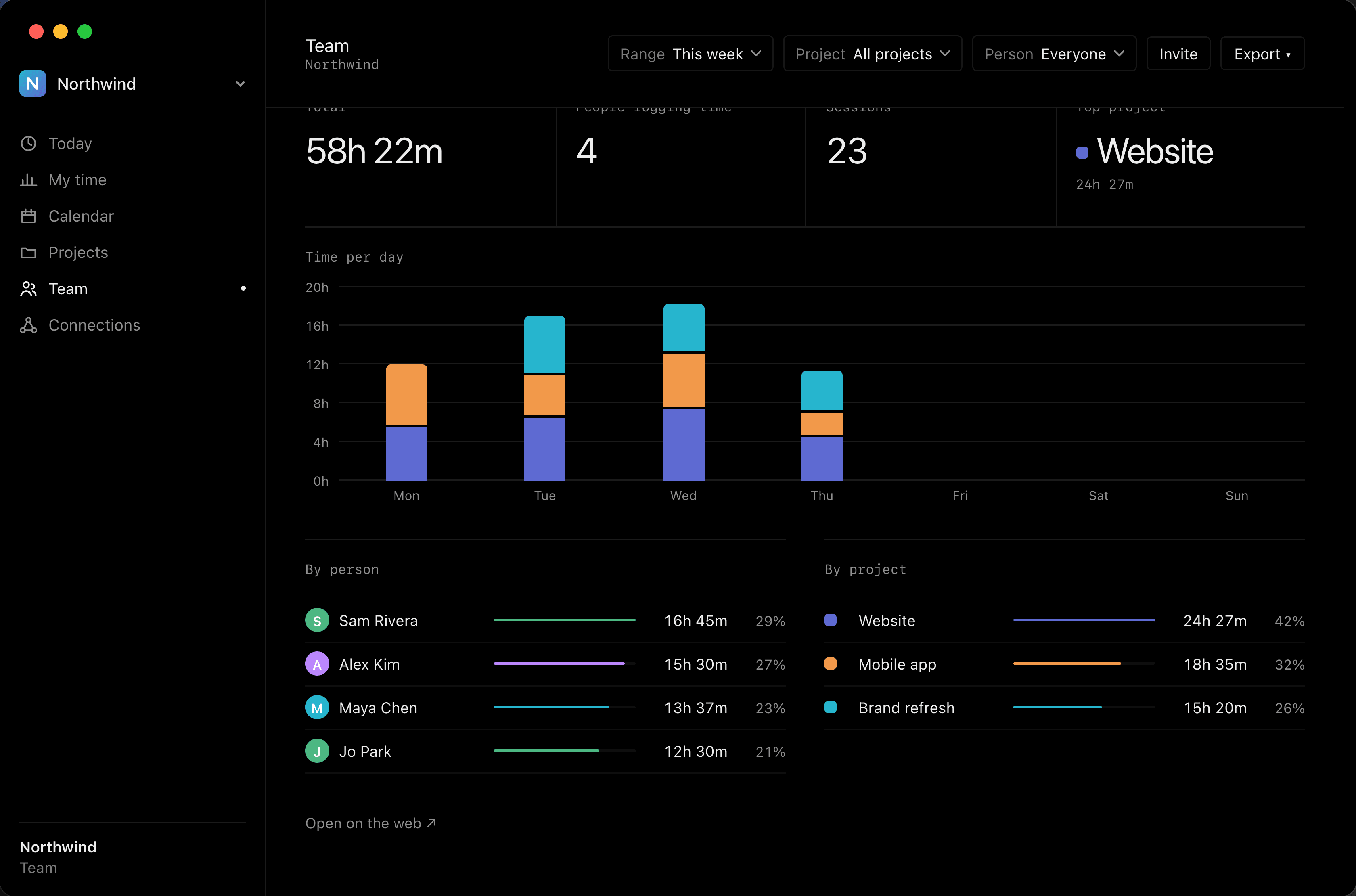
The pill in the notch while you work, then the window with your week and your team.
The real app, with made-up data
Connections
Every client’s tools, one pill
Connect Linear, Asana and Monday, name each for its client, and switch off what you don’t need today. Your tasks from all of them in one list, and the time goes back to each one. Or skip it all and keep tasks on your Mac.
AcmeLinearBrightlineAsanaKite & CoMondayMy own tasksOn this MacClickUp and Jira soonThe drawer
Edit the ticket without leaving your work
Click the issue on the pill for a drawer that mirrors Linear: status, project, assignee, estimate, due date, description with @mentions, sub-issues and your time.
NWD-142Open in Linear ↗Homepage hero layoutStatus TodoPriorityHighAssigneeM MayaProject WebsiteDue dateFri 10 OctTighten the hero spacing and swap in the new illustration. Check with @sam before shipping.
Time tracked4h 15mToday1h 24mWhat are you working on? ·Sync
Time lands on the task
Every pause updates your Time tracked card on the Linear issue (a comment in Asana and Monday), one per person, and your session note becomes a comment.
Website › NWD-142Homepage hero layoutTeam
See the whole team with Pro
Everyone’s time by day, person, project and ticket, with CSV export for timesheets and invoices.
Your AI
Ask Claude where your week went
Chat with your own Claude or ChatGPT beside the pill, on the plan you already pay for. It reads your time and calendar, starts and pauses the timer, logs the call you forgot and plans your week. Or connect Front of Mind to Claude, ChatGPT or Cursor and ask from there.
Front of Mind● Claude ⌄What did I work on for Acme this week?
◷ Read your time6h 40m across 4 tickets. Most of it on NWD-142 Homepage hero (3h 10m), then the booking flow and two reviews.
Add the 30 min call with Sam this morning to NWD-142
◷ Logged 30mDone: 9:30 to 10:00 on NWD-142, noted “Call with Sam”.
Clients
Quotes that warn you before you go over
Group projects by client, with contacts, sites and rates. Quote in hours or money and see it fill up, amber at 80%. At the end of the month, the time is priced and ready to bill, as a timesheet or CSV. Invoice drafts in Stripe and Xero are coming next.
AcmeClientWebsite rebuild0% of 60hRetainer$1,260 of $3,000ContactsS Sam Rivera · Product leadiPhone · coming soon
The timer on your lock screen
Start, pause and switch from the lock screen and the Dynamic Island, and add the time you forgot on a timeline of your day. One timer with your Mac: start on the phone, pause at your desk.
9:41Tuesday 4 NovemberNWD-142Homepage hero layout0:00:00
Timers never worked for me. So I made one I can't forget.
I'm Kieren, a designer at Adapt Studio. Our work lives in Linear, and every hour is meant to be logged against a ticket. I never used a timer. I'd block the hours out in my calendar afterwards, when I remembered, which wasn't often.
Front of Mind is the fix I wanted: the ticket I'm on, floating over whatever I'm doing, and the time going back to it every time I pause. I didn't think about it once.
It's just me building it, no investors. If something bugs you, email support@keepfrontofmind.com and I'll fix it.

- 17h
- logged in my first four days
- 8
- tickets, without trying
- 0
- hours rebuilt from memory
Pricing
Free to start. Pay when it's earning its keep.
The floating timer with one tool, your time written back, your own reports.
Download for Mac- One tool: Linear, Asana or Monday
- Time and notes on every ticket
- Edit tickets from the drawer
- Reports by day, project and ticket
For freelancers: your week as a calendar, timesheets to invoice from, every client at once.
Get Pro- 14 days free in the app, no card
- Everything in Free
- Calendar of every session
- Timesheet and CSV export
- Every client's tools, on and off
- Your own Claude or ChatGPT, with your time
- Clients, quotes and rates
Pro for everyone in your Linear workspace, and everyone's time in one view.
Start 14-day free trial- Pro for the whole workspace
- Team view by person and project
- Billed only for people who log time
- No card needed for the trial
Download it, pick a task, press play. The time finds its way back to your tool on its own.
⏱ 45m · Tightened hero spacing, new illustration in